How we work · Step 2
Wireframes and visual concepts
In step 2 what was discussed becomes something you can look at: wireframes and visual concepts you can comment on early. No big reveal at the end, no surprises, revisions included. That is how our web design process works, step by step.
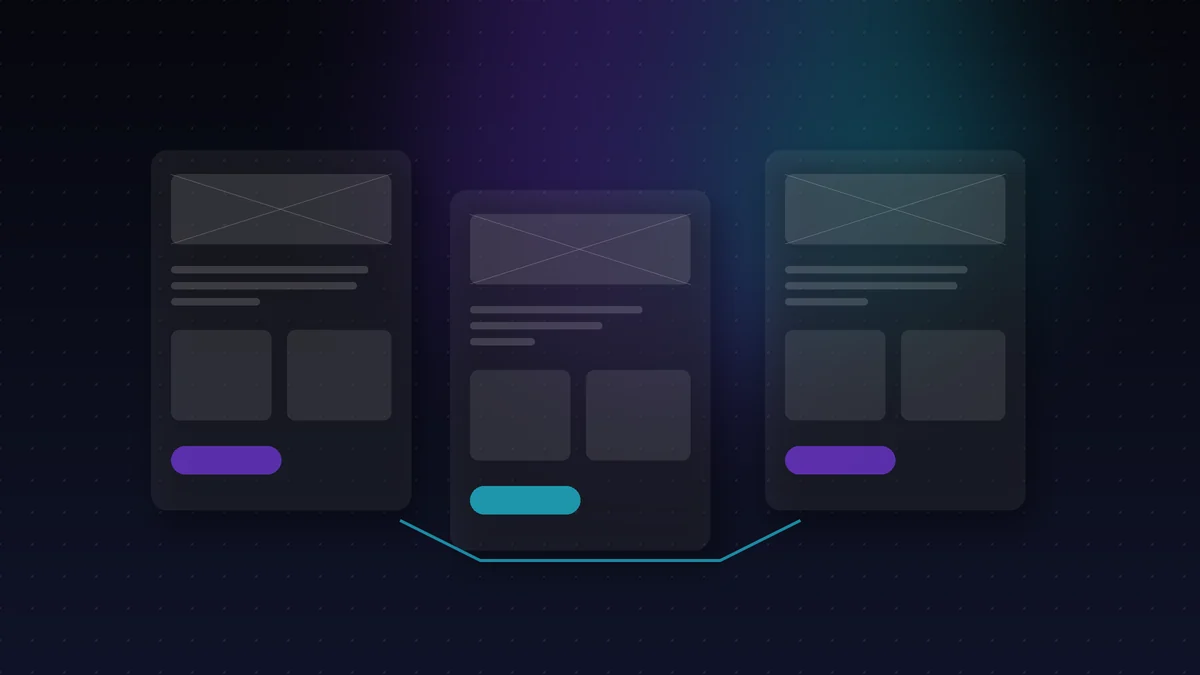
Structure first, colour second. It is the order that avoids the most expensive conversation in the industry: arguing about the shade of a button when what is wrong is where the button is.
The web design process at a glance
First, the structure. Then, the look. Finally, the revisions with you.
That way the web design process moves from the general to the specific, and each decision builds on the previous one.
What happens in this phase
- Wireframes first: structure before colour.
- Visual concepts applied to your real content, not placeholder text.
- Revisions included in this phase, not billed separately.
- A reusable design system, so that whatever comes next fits.
- Nothing goes into production until you have seen and approved the design.
When you approve the design, you approve something concrete. Not an idea described over the phone.
The two deliveries of this phase
Wireframes
The skeleton in grey: what is on each screen, in what order and how far from the action you care about.
- Content architecture
- Hierarchy of each page
- The path to conversion
Visual concepts
The design already applied to your texts and photos, so you see your business and not a pretty template.
- Typography, colour and brand
- Key screens on mobile and desktop
- Real states: empty, error, loading
Design system
Components are defined once and reused. That way the project grows without coming apart at the seams.
- Buttons, forms and cards
- Spacing and grid rules
- Reusable in apps and dashboards
Why web design starts with structure
A wireframe answers a simple question: what goes on each page and in what order.
It can also be changed in minutes. A finished design, on the other hand, takes much longer to redo.
Why with your real content
A design with placeholder text always looks good, and that is precisely why it is misleading. The problems appear when the headline you had in mind takes up three lines on mobile, or when the product photo is portrait and the design called for landscape.
That is why we ask for the content before designing, even if it is half-finished. It is more awkward at first and it saves redoing screens later.
What you need to prepare for the web design process
Texts, even if they are drafts. Also photos, the logo and examples of websites you like.
If something is missing, that is fine. We flag it and the web design process carries on with whatever there is.
Accessible and fast, from the design stage
Some decisions doom performance and accessibility before a single line of code is written: insufficient contrast, a typeface that is illegible on mobile, a huge background image.
We design following the public accessibility guidelines of the W3C, because an accessible website is easier for everyone to read, not just for people using a screen reader.
It is also checked with search in mind: the structure we agree on here is what later supports the SEO and search positioning, so the heading hierarchy and internal paths are already decided in the wireframes and visual concepts.
Web design built for mobile first
Most of your visits will come from a phone. That is why we design for small screens first.
Then we scale up to desktop. That way nothing important is hidden on mobile.
What we decide here and what is left for later
This phase does not settle everything, and it is worth knowing what is included and what is not. What is decided in the wireframes and visual concepts is hard to change later without cost; the rest can wait without blocking anything.
Decided now:
- How many pages there are and how they link to each other.
- What action we want the visitor to take on each one.
- The heading hierarchy, which later becomes the search engine’s.
- Behaviour on mobile, which is not “the same but narrower”.
It can be left for step 3: the fine-tuned texts, the final photos and the animation details. Those things are refined once the project is built and in view, which is when they are best judged.
Mistakes we avoid in the web design process
The most common is designing with placeholder text. Afterwards the real text does not fit and everything goes out of line.
Another mistake is deciding on colours before structure. That is why order matters in our web design process.
How revisions work
Revisions in this phase are included, not billed separately. The reason is practical: if every comment costs money, people keep quiet, and a half-approved design costs much more in the next phase.
What we ask in return is that feedback comes all together and from whoever makes the decisions. Three rounds with the whole team move things forward more than fifteen scattered comments.
How you know the web design is ready
When you can go through every page and understand what it does without anyone explaining it.
And when your team has seen it and there are no open questions. Then it is approved and we move on to building.
And then
With the design approved we move on to step 3: it is built on a staging URL you can watch evolve, with weekly check-ins.
Wireframes and visual concepts are step 2 of any website design project, and the same design system is later reused in mobile apps and in bespoke software for businesses.
Wireframes and visual concepts FAQs
What is the difference between a wireframe and a design?
The wireframe is the skeleton in grey: what goes where and why. The design is that skeleton with the brand, colour and typography applied. Separating them lets you discuss the structure without colour getting in the way.
How many revisions are included?
Those in this phase are included. We do not count rounds; what we ask is that comments arrive grouped together and from whoever makes the final decision.
Can I see the design on mobile before approving it?
Yes, and you should. Key screens are delivered on mobile and desktop, because most of your visits will come from a phone.
I don't have texts or photos yet. Can we make progress?
We can start with the wireframes, which do not depend on the final content. For the visual concepts we prefer to have at least the texts of the main pages, even if they are a draft.
Is the design mine?
Yes. The design files and the component system are part of the delivery, just like the project’s code.
Do you respect my brand guidelines?
If you have them, they are respected. If you do not, this phase produces the minimum needed to have them: defined, reusable colours, typefaces and components.
From the web design process to development
What is approved here is what gets built in step 3. In other words, there are no surprises between what you see and what gets coded.
That is why we close the web design process properly before writing a single line of code.
Hire this step
Design: hire just this phase
You do not need to hire the whole project. Step 2 can be hired separately and includes the wireframes, the visual concepts on your real content and the design system.
- Detailed scope on its product page
- Fixed quote in writing
- The same team from start to finish
Let’s talk
Tell us where your business is and where you want it to be. We reply within one working day with honest advice — and with a plan, if you want one.
The full process
Step 1 discover · step 2 design · step 3 build · step 4 launch · step 5 grow.